3 Patti Blue APK Download and Installation Guide
This page explains how installing an Android APK works and what to check at each step. We do not host any file, and we do not link to one. The point of the page is to make sure that whatever file you decide to install, you handle it sensibly.
Before you download
| Device | An Android phone or tablet. Games of this type are demanding, and an older device may load slowly or drop frames at busy tables. |
|---|---|
| Storage | Free space for the file itself plus the resources the app pulls on first launch. Clear space before you start, not halfway through. |
| Connection | Stable Wi-Fi. Interrupted downloads are the leading cause of installs that fail at the final screen. |
| Existing copy | If an older copy is on the device, note that installing over it with a differently signed file will fail. Uninstalling first loses local data. |
Installation, step by step
- Download the file completely. Watch the notification until it reports finished. A file that stopped at ninety percent will look present and still refuse to install.
- Open it from the notification or your Downloads folder. Android will ask whether that app may install packages.
- Grant the install permission to that one app. Settings opens automatically; enable it, go back, and continue.
- Let Play Protect scan. Accept the scan if offered. A warning is a reason to stop, not a checkbox to clear.
- Review the permission list. Network and storage are expected. Contacts, SMS and call logs are not, for a card game.
- Install and wait for first launch to finish. The app will download additional resources; stay on Wi-Fi.
- Turn the install permission back off. Return to the same settings screen and disable it for your browser.
When the install fails
Parse error
The file is corrupt or truncated. Delete it and download again on a stable connection.
App not installed
Conflict with an existing copy, or a signature mismatch. Uninstall the old copy and retry.
Blocked by Play Protect
Do not force it through as a reflex. Consider whether the source deserves your trust at all.
Not enough storage
Free real space. Android needs room to unpack, not just to hold the file.
Stuck on first launch
Resource download failing. Clear the app cache, switch networks and reopen.
Crashes on open
Often an incompatible build for your Android version or processor. There may be no fix on that device.
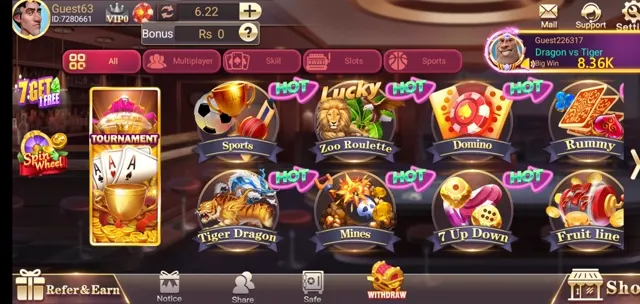
After installing
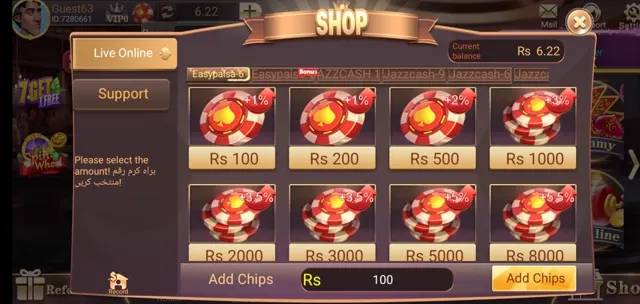
The next step is creating an account, which is covered in the registration guide. If you already have an account and cannot get back in, read the login guide. Before you consider putting money in, read the deposit page and the withdrawal page together, in that order.
Frequently Asked Questions
Why is the app not on the Play Store?
Store policies on real money card games are strict and differ by country, so publishers in this category usually distribute an APK from their own website instead.
What does 'App not installed' mean?
Most often an incomplete download, an older copy of the same app still on the device, or a build that does not match your Android version or processor type.
Do I need to keep 'Install unknown apps' switched on?
No. It is a per app permission for the browser or file manager you used. Turn it off again once the install has finished.
Is a mod or 'unlimited chips' version safe?
No. Modified builds are repackaged by third parties and the repackaging is exactly how unwanted code gets added. Never install one.